An Upscale switch, and a progress line that follows the real work
Normal mode gets an Upscale switch beside Fast mode, and the progress line now shows only while Kyrune can measure the work.
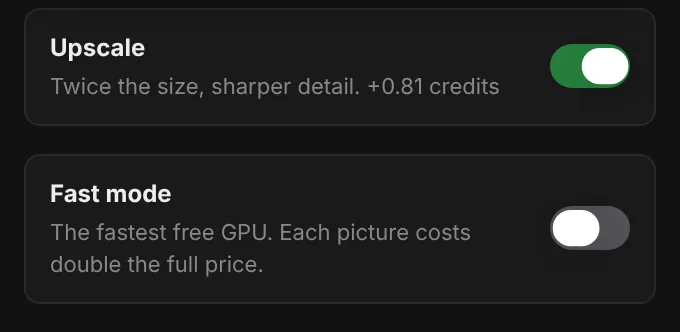
Turn on Upscale and the picture is made again at twice the size with the same model, LoRAs and prompt, for sharper detail. The switch is on every plan, for the models that support it, and the Generate button shows what it adds to the price before you press it.
The Upscale window for a finished picture can now run the same kind of upscale too.
Fast mode's description now reads: your picture goes to the fastest free GPU, and each picture costs double the full price.
The progress line
The progress line is drawn only while the picture is being sampled or upscaled, the two steps Kyrune can measure. Every other step, such as loading the model or saving the result, shows its name without a line, so the line never jumps ahead of the work.
An upscale is one continuous line with one count, even when the picture is upscaled in several tiles.